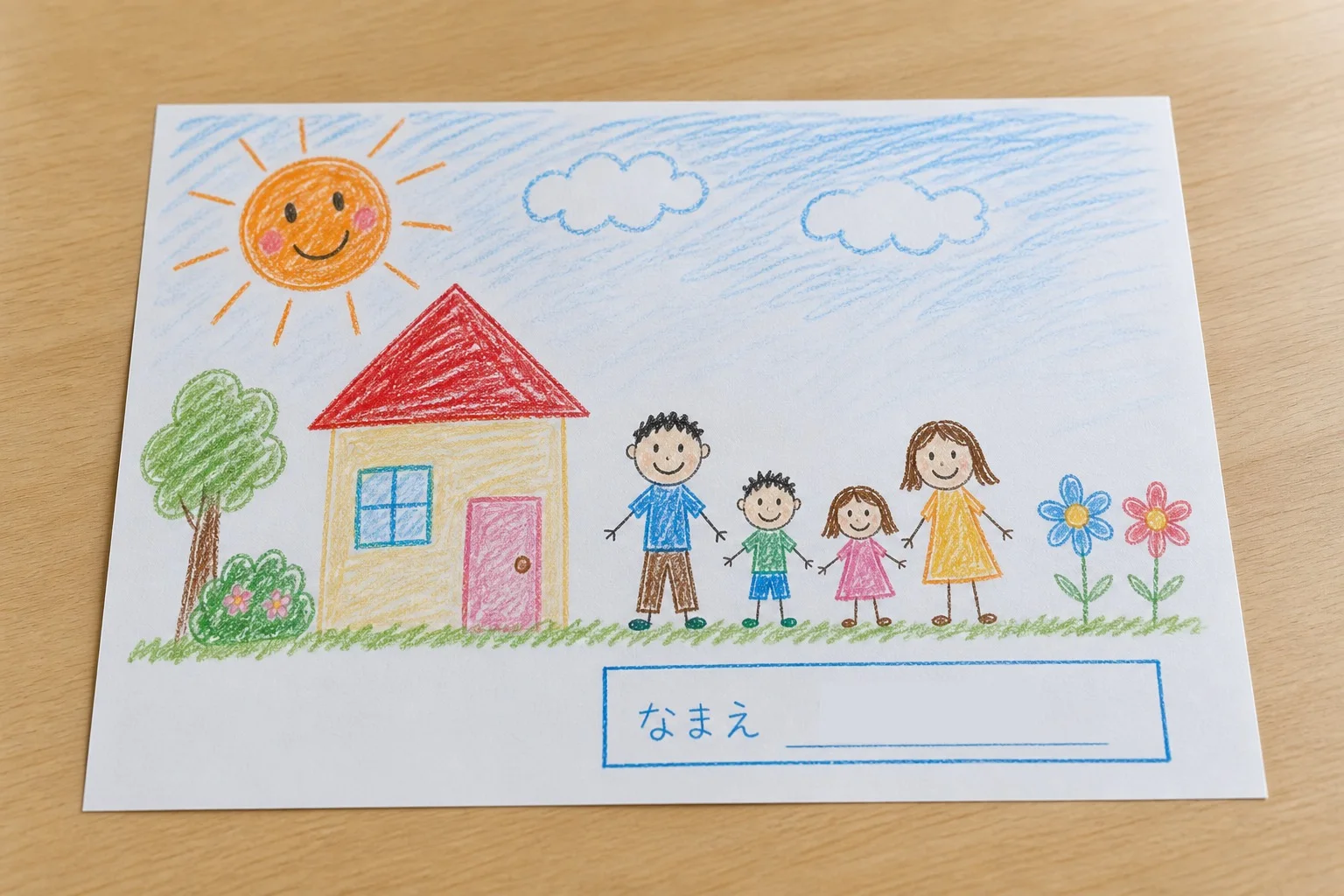
Review every label on the front and every identifying object in the frame. Crop irrelevant surroundings, then cover names, class and school details, dates, certificates, and location clues with opaque masks.
Children's artwork is personal in the best sense: it carries a moment, a story, and a sense of growth. The goal of redaction is not to flatten that character. It is to remove the small administrative details that connect the work to a specific child and place.
What to look for before posting
The child's name and handwriting
Names may appear in a printed box, in the signature, on a folder tab, or in a teacher's note. Check corners and the reverse side if it appears in the photo. A first name can still identify someone when the account, class, or town is already known.
Grade, class, teacher, and school
A class code, school logo, program name, or teacher signature can narrow the audience to a small group. Certificates and competition entries often place several of these details together.
Dates and event names
An exhibition title, school festival, sports day, or dated assignment can reveal when and where a child participated. Keep only the context you intended to share.
Uniforms, badges, and the background
A school crest, name tag, classroom board, pickup card, or house number behind the artwork may be more identifying than the text on the page. Inspect the whole frame.
Hide the detail without hiding the art
Start by cropping empty table space, other children's work, mail, or signs. Then cover only the remaining identity fields. On white paper, an opaque white mask often looks quieter than a black bar. On colored card or paint, use an eyedropper to sample the nearby surface.
A color that blends in is not automatically safer; it still needs to be fully opaque. Extend the mask slightly beyond every letter. If the name crosses a textured area, a visible solid bar may be easier to verify than an imperfect color match.
A family group, a public social account, and a school community have different contexts. Redact for the widest audience that can actually see the post, not only for the people you expect to notice it.
A simple iPhone workflow
- Open the artwork photo in 2Step Mask.
- Drag over a printed name box with Area Mask.
- Use Undo and Redo if the selection reaches into the artwork.
- Switch to Marker, sample the paper color, and adjust the real-size marker width for signatures or labels.
- Save a copy, then inspect every corner of the result.
The original remains in the photo library. The saved copy combines the mask and image into one file, so the mask cannot be removed as a separate editing layer.
Children's artwork privacy checklist
- Full name, initials, signature, and name tags are reviewed
- School, grade, class, teacher, and program names are hidden when unnecessary
- Dates, event names, certificates, and award numbers are checked
- Uniforms, crests, boards, mail, and location clues are reviewed
- The mask is opaque and covers complete letters
- The public post uses the edited copy
Frequently asked questions
Should I blur a child's face as well?
That is a separate sharing decision based on your audience and family preferences. If a face is not needed to show the artwork, cropping it out may be the simplest option.
Does a white mask make the original name recoverable?
Not when the white mask is opaque and flattened into the saved image. The mask is no longer a removable layer. The original photo remains a separate file, so share the edited copy.
Keep the artwork. Hide only the private details.
Sample the paper color, adjust the marker width, and save a flattened copy on your iPhone.
View on the App Store